Open · No login · No ads

One link. Every way to buy it. No account. All free.

Paste any Taobao, Tmall, Weidian, 1688 or Xianyu link and see every buying option side by side: fees, shipping lines, QC and landed cost. The tools haulers actually use, with zero signup, zero ads and zero catch.

Convert a link How it works
TaobaoTmallWeidian1688Xianyu (second-hand)
haulkit.app/converter LIVE PREVIEW
Taobao Item #1049261460418 more options inside

Preview. The real converter handles any link. Try it

0% fee options Xianyu supported No account, no ads
Why haulkit
0% fee options

Some options charge no service fee at all. haulkit shows you which, up front, before you commit.

Xianyu ready

Second-hand links convert too, with a note on which options handle them and how.

No account, no ads

Your hauls live in your browser, not on a server. Nothing to sign up for, nothing to sell you.

Real numbers

Fees and shipping are sourced from official pages and checked against community reports.

The workflow

Ten tabs open comparing options? Stop.

You already know the drill: find it, buy it, ship it. haulkit removes the fiddly part.

01

Find the thing

A Taobao listing, a Weidian find, a second-hand Xianyu deal. A share blob, a short link, a wrapped URL. Whatever you've got, haulkit reads it.

02
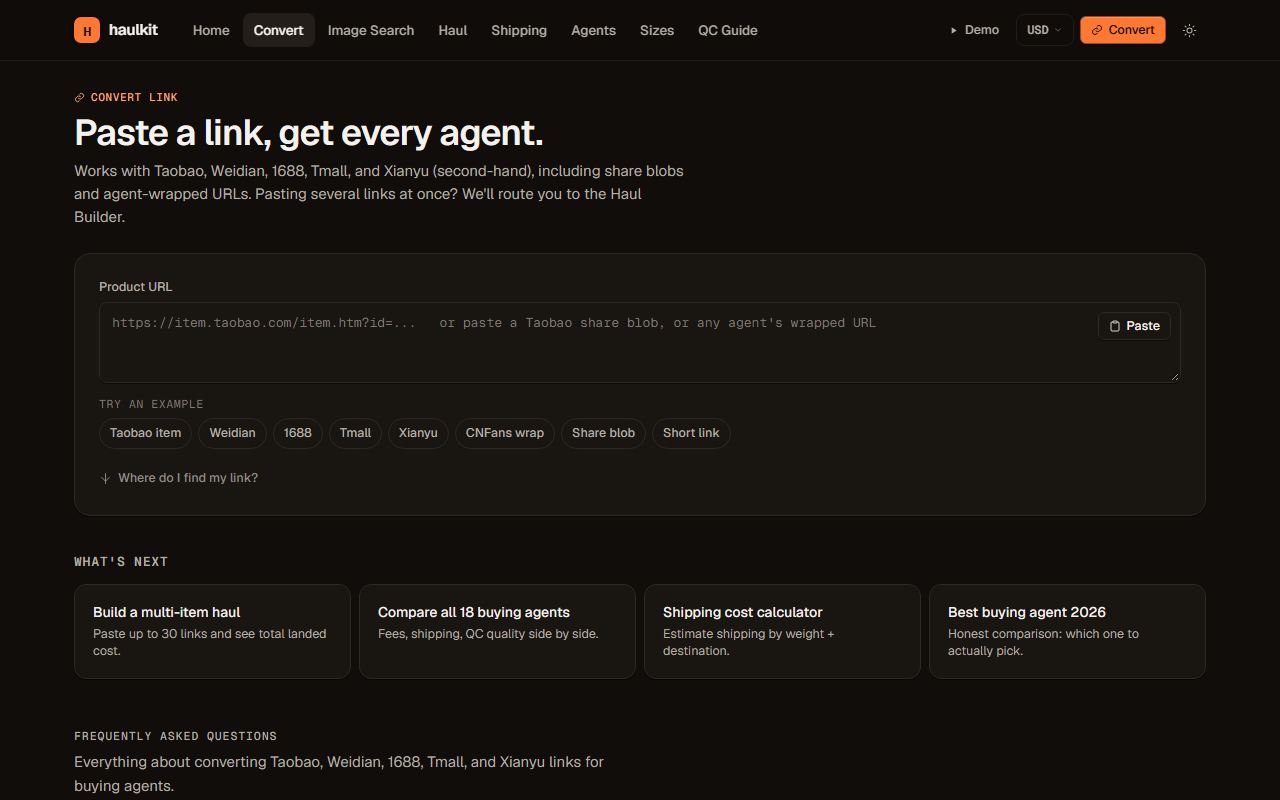
Paste it once

Drop the link in the converter. haulkit identifies the marketplace and the item, then builds a ready-to-buy link for every option at once.

The converter page with a product URL pasted and every buying option listed
03

Compare your options

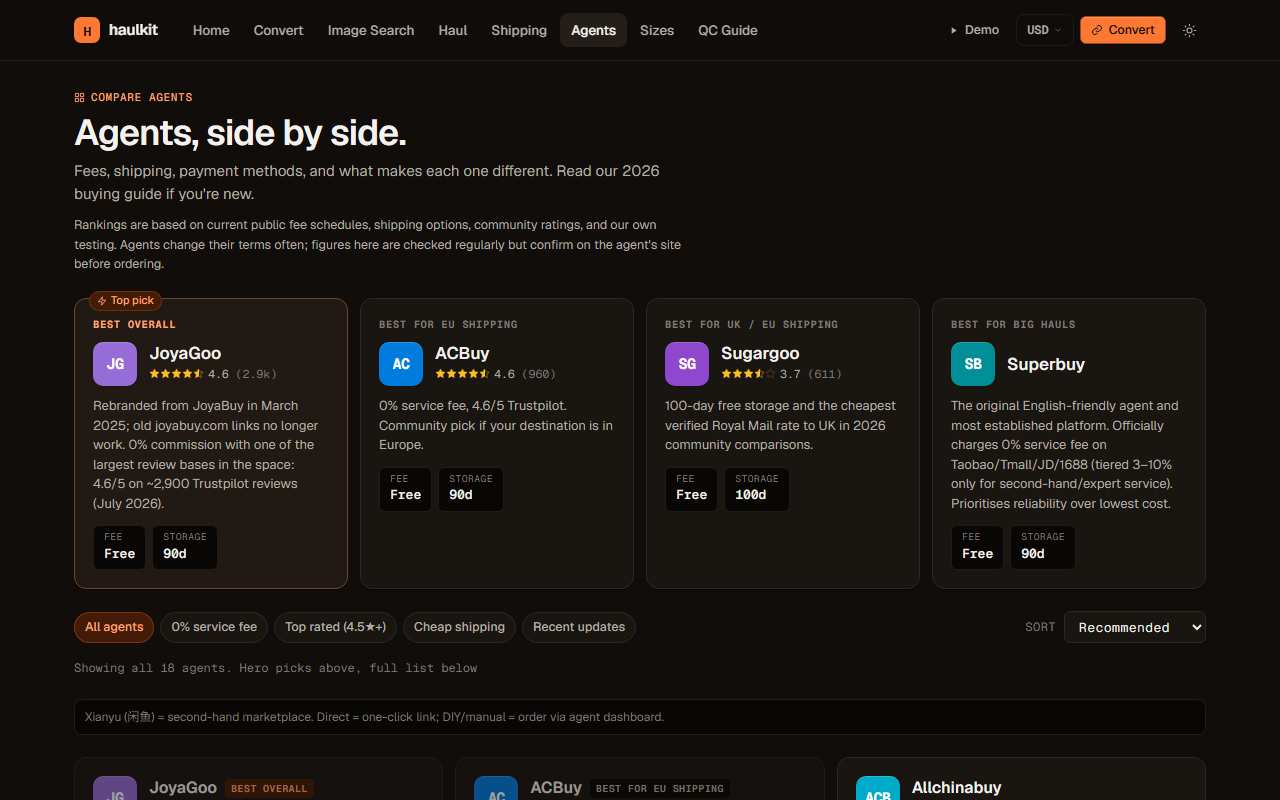
Fees, shipping lines, QC quality, storage days. Every option side by side, with a best overall picked for you. Compare any two directly.

Side-by-side comparison of every buying option with fees and shipping
04

Add multiple links, compare once

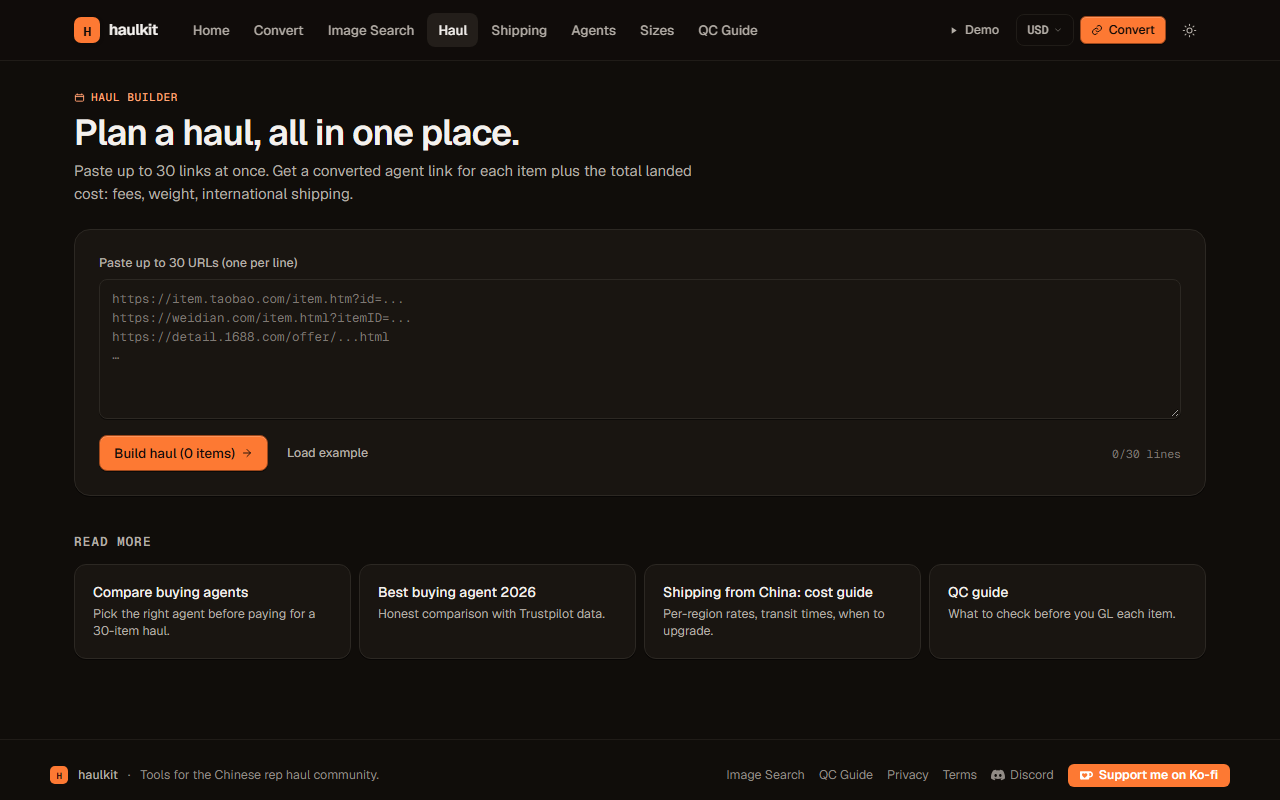
Paste several links at once in bulk mode, see every agent for each product side by side. Save items to your haul, estimate total shipping, and share the whole list with one clean URL.

Bulk mode with multiple products and agent comparison
Stop juggling tabs. Start with one link.

Convert your first link in under ten seconds.
Convert a link Calculate shipping
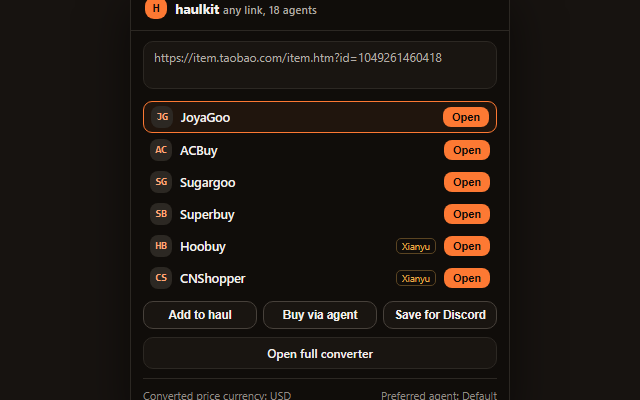
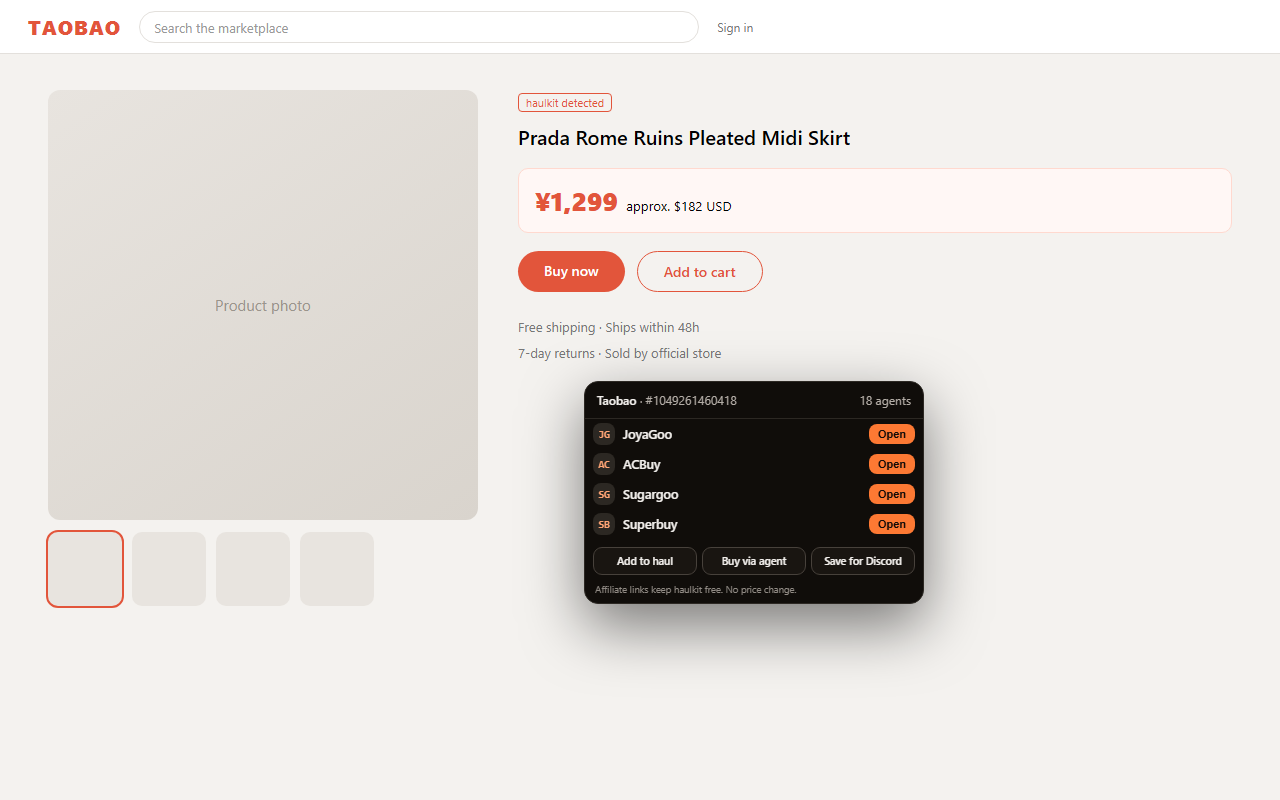
The haulkit panel opened on a product page listing every buying option
The haulkit popup with a pasted link converted into a list of options
Browser extension

Convert in place, on the pages you already browse.

No copy-paste into another tab. On any supported product page, haulkit is right there.

One tap on any product page

A floating button on Taobao, Tmall, Weidian, 1688 and Xianyu opens the panel with every option.

Paste anywhere

The popup converts any link, including m.tb.cn short links and share blobs, with price in your currency.

Save for Discord

One click saves a find to the community database and the public showcase on the server.

Already-known detection

If a product is already in the community database, the panel tells you instantly.

The community

Find anything by image. Share everything with everyone.

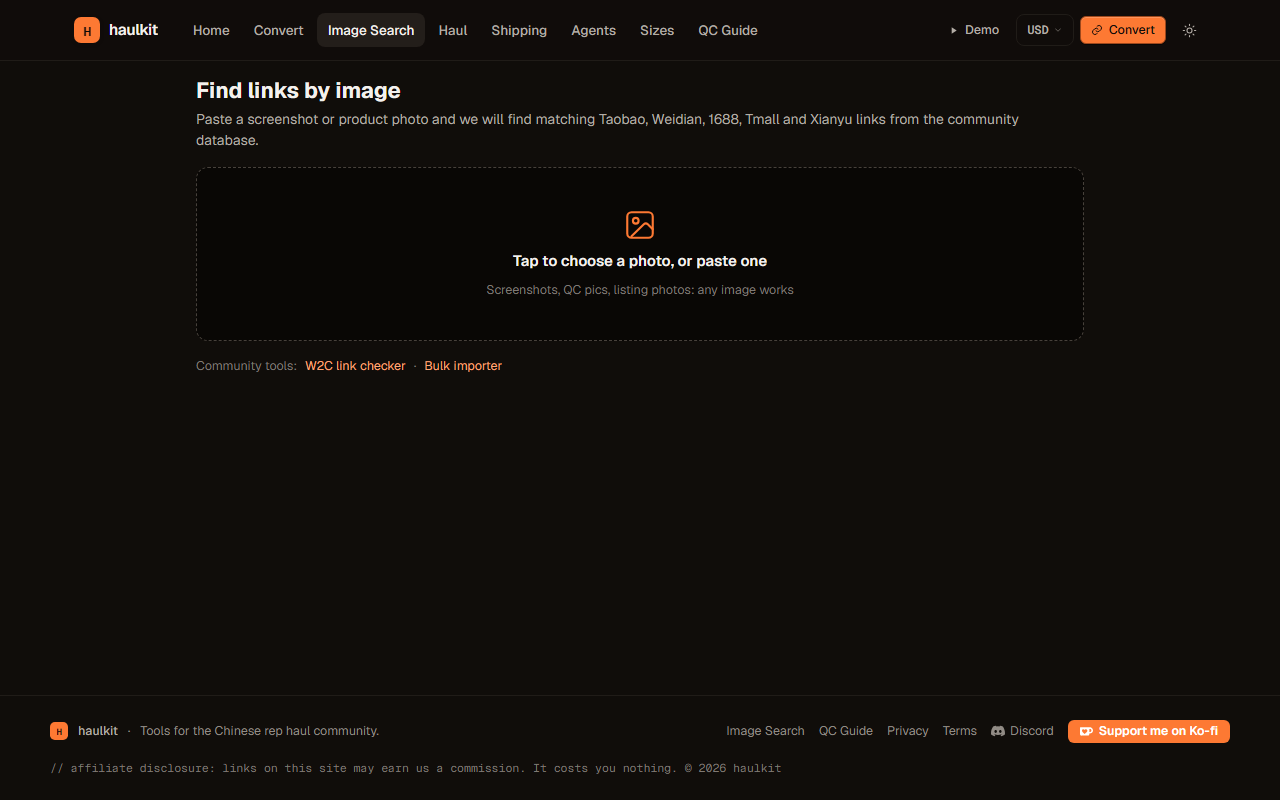
Paste a screenshot or a QC photo into image search and get matching product links from the community database. In the Discord server, paste any link and the bot replies with a full card: image, specs, and a buy-now that opens every option.

H haulkit-bot · today at 4:12 PM
Product image

Converted for you

Taobao · #1049261460418
¥189 · approx. $26.50 USD

JoyaGoo · ACBuy · Sugargoo · Superbuy · + more
Buy now
Search page where a product photo, name, or link is matched against the community database
Community search

Search by photo, product name, or link, and find the same product even from a cropped screenshot.

Community database

Every saved product is searchable, tagged by category, and linked back to its source.

Get haulkit everywhere

Extension in your browser, community in your Discord.

Get the extension Join Discord